


SLYNUMBER
3.9189.00 Reviews
App Specs
- Version
- 11.6
- Updated On
- License
- Free
- Downloads
- 500,000+
- Developer
- MobileSphere
- Categories
- Communication
- Platform
- Android
Screenshots
 Analysis by AppCompare
I find a second number most useful when it creates a clear boundary, not when it tries to replace my regular phone service. That is the idea behind SLYNUMBER: it gives me another number for calls and texts, so I can keep some conversations separate from the ones tied to my personal line. For anyone who has hesitated before sharing a number with a stranger, a buyer, or a new contact, that separation can make everyday communication feel more manageable.
A second line for specific conversations
The practical value is less about having a “secret identity” and more about deciding which number belongs in which context. I might use a separate line for a short-term project, a marketplace conversation, or an appointment that could lead to follow-up calls. If the exchange becomes unwanted, I have not given that person my main number. That is a useful privacy boundary, though it is not the same as anonymity: a second number should not be treated as a guarantee that a call or message cannot be connected back to me.
Because the app is built around making and receiving calls and texts, the key question is whether a second line fits my routine. It is most useful when I can explain its purpose in one sentence and remember to use it consistently. If I share my main number in one message and the extra number in another, I lose much of the organizational benefit. I would decide on a narrow role before handing the number out, then keep that role steady.
How I would use it day to day
Imagine I am selling a desk online. I can give a prospective buyer the extra number for questions and pickup arrangements, while keeping family and work conversations on my usual line. If the buyer needs to call, the second number gives us a way to coordinate without turning the transaction into an ongoing connection to my personal number. Once the sale is over, I can stop using that line for that purpose. The useful habit is to keep the conversation in one place and avoid switching between numbers mid-thread.
The same approach can help with freelance enquiries or sign-ups that may generate calls and texts. I would still be selective: a second number is not a reason to share contact details with every service or stranger. It is a way to separate communication when sharing is worthwhile, while making the boundary easier to maintain afterward.
What it does—and what I would not assume
A second number can reduce how often I expose my usual one, but it does not automatically screen every risk. I would not assume that a separate line makes a transaction safe, proves who is calling, or prevents someone from saving and sharing the number. For sensitive conversations, I would still use good judgement about what I disclose and choose a channel that suits the situation.
I would also treat a second number as something to manage, rather than a set-and-forget privacy switch. If I use it for an ongoing client relationship, I need to remember to check it and respond there. If I use it for a one-off exchange, I should be clear with the other person about which number to contact. That small bit of discipline is the trade-off for keeping communication separate.
Worth Reading Before You Choose

EA SPORTS FC Mobile 26 Is a Bigger Football Game, but It Takes Time

Flipboard Shows What News Apps Must Do Beyond the Feed

Switching to Android Auto Means Rethinking Your Driving Routine

Google Calendar Makes a Crowded Week Easier to Manage

Ludo King Makes the Most of the Minutes Between Plans

Baby Panda World Brings Quick Play to Modern Phones, but Its Game Library Feels Busy
Who benefits most from the separation
This setup makes sense for people who regularly need a contact number for a defined purpose: independent workers, people arranging local sales, or anyone who wants a buffer between personal calls and unfamiliar contacts. It is especially appealing if carrying another handset or managing another SIM would be inconvenient. On the other hand, someone who rarely shares their number may not gain enough to justify adding another inbox and line to keep track of. If I need a permanent business identity with a broader set of professional tools, a dedicated business phone service may be a better fit.
Against the usual alternatives, the main appeal is convenience: a second number in an app avoids carrying an extra phone, while a separate SIM can feel more like a distinct line but requires compatible hardware and another SIM arrangement. A regular messaging account may be enough when both people already use it, but it does not always provide the same phone-number separation. I would choose based on the task: an app-based number for a practical boundary, a SIM or business service when I need a more formal or durable setup, and ordinary messaging when a phone number is unnecessary.
Getting Started with SlyNumber
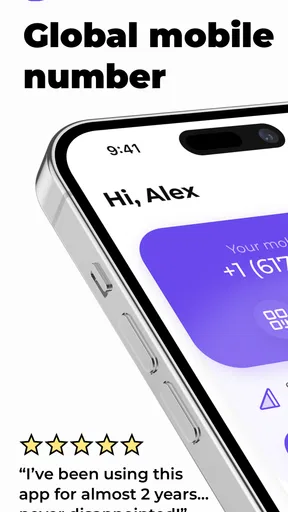
First things first, installing SLYNUMBER is a breeze. Available on both Android and iOS, you can find it easily on the Google Play Store or the Apple App Store. Once downloaded, the setup process is pretty straightforward. The app guides you through selecting a new number, and in no time, you’re ready to go.
One of the things I absolutely love is how user-friendly the interface is. It’s clean, intuitive, and doesn’t bombard you with unnecessary features. I was up and running in less than five minutes, which is perfect for someone like me who lacks the patience for long-winded setups.
Features That Stand Out
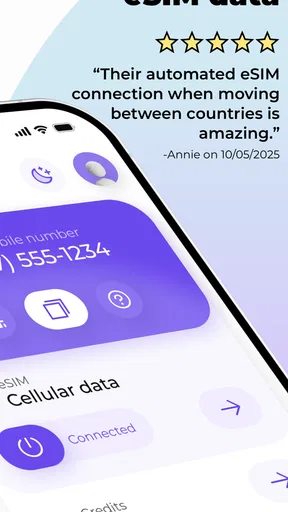
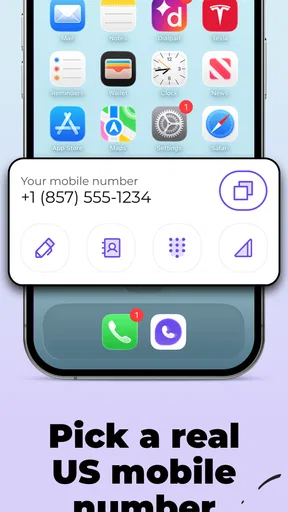
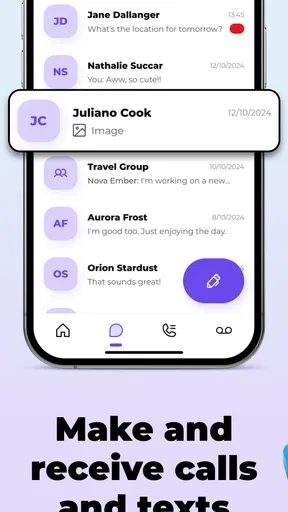
Now, let’s talk features. SlyNumber offers a variety of functionalities that make managing your calls and texts a breeze. You can make calls, send texts, and even receive them, all from your new number. It’s perfect for online dating, business transactions, or any scenario where privacy is key.
One cool feature is the ability to customize your voicemail. You can set a personalized message or even forward voicemails to your email. This is incredibly handy for keeping your messages organized and accessible.
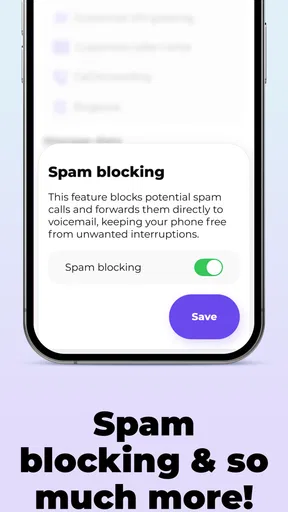
If you’re worried about spam, the app has got you covered. With call blocking and spam detection, it feels like you have a personal assistant screening your calls. You can block numbers with just a tap, ensuring that unwanted callers don’t disturb your peace.
Performance and Reliability
In terms of performance, I found the call quality to be solid. There were no noticeable lags or drops during calls, which is crucial for any app offering such services. Texts were sent and received promptly, making communication seamless.
Reliability is where SlyNumber truly shines. In my experience, the app remained stable without any crashes or glitches. It’s a relief knowing that your secondary number won’t suddenly fail when you need it most.
Pricing and Plans
Of course, a good app experience also depends on its affordability. SlyNumber offers several pricing plans, ensuring there’s something for everyone. Whether you need a number for a month or a year, the app provides flexible options. Plus, there’s a free trial to test the waters before committing, which is always a nice touch.
For those who require additional features, such as multiple numbers or international calling, there are premium plans available. These options are competitively priced, considering the convenience and privacy they offer.
Why You Should Consider SlyNumber
If you’re like me, valuing privacy and simplicity, SlyNumber is a game-changer. It offers a hassle-free solution for managing a second phone number without the need for extra hardware. The app’s ease of use, coupled with its robust features, makes it an attractive option for anyone looking to keep their personal number private.
Whether you’re a freelancer juggling multiple clients or someone who enjoys online shopping without the spam, this app has something for everyone. It’s like having a secret identity in the digital world – cool, convenient, and just a little bit sneaky.
In conclusion, SlyNumber provides a reliable and efficient way to manage a secondary phone number. Its user-friendly interface, strong performance, and competitive pricing make it an excellent choice for anyone needing a second line. So why not give it a try? You might just find it’s the app you never knew you needed.
Checking the fit before relying on it
Before making the number part of an important routine, I would try it with a low-stakes contact first. Send a text to someone I know, ask them to reply, and make a brief call in both directions. That gives me a practical sense of how the separate line behaves on my own device and whether I can recognize which number is being used when a call or message arrives. It is a more useful test than simply opening the app and assuming the workflow will suit me.
I would also set expectations with anyone who needs to reach me. If the number is for a client, buyer, or date, I would say plainly that it is the best number for that conversation and check it when I expect a reply. That avoids a common second-line annoyance: forgetting where an important response went. For occasional use, I would consider adding a reminder to check the app during the period when I am actively using the number.
Keeping the line organized
The less obvious challenge with a second number is not creating it; it is remembering why each conversation is there. I would choose a simple rule, such as using the extra line only for marketplace messages, then avoid turning it into a catch-all for every sign-up and unfamiliar contact. A narrow purpose makes it easier to judge whether a new call belongs there and whether I still need to keep the number in circulation.
For a recurring work arrangement, I would keep a note of which contacts use the second line and what I have promised to follow up on. That does not require a complicated system. A short calendar reminder or a note in my usual task list can prevent missed messages if I do not check the app every day. The convenience of separating calls is strongest when it does not create a second, neglected inbox.
Costs, continuity, and sensible expectations
The app is free to download, but it includes in-app purchases ranging from $2.99 to $49.99 per item. I would look at the purchase choices inside the app before building a long-term workflow around a number, and match any spending to how often I expect to use it. If all I need is a temporary contact route, paying for more than that use requires would defeat the point; if I depend on the line for ongoing work, I would weigh the cost against the value of keeping personal and professional calls apart.
One question worth settling early is how much continuity I need. A number used for a single sale has a different job from one printed on business materials or shared with regular clients. I would not treat a short-term app line as a permanent business identity without first checking the available plan details and deciding how I would handle future changes. For a lasting public-facing number, a conventional business line may offer a more suitable arrangement, even if it means more setup.
SLYNUMBER is a communication app from MobileSphere, with a 4.5 average rating from over 800 ratings and more than 100K installs. It is free to download, rated for Everyone, and version 7.8 requires Android 9 or later. Those details make it approachable for many users, but the right choice still comes down to the job: I would use it when the value is a practical, app-based boundary around calls and texts, not as a substitute for careful sharing or a full business phone system.
Pros
- User-friendly interface enhances navigation.
- Quick setup requires minimal user input.
- Supports multiple number formats seamlessly.
- Offers secure data encryption for privacy.
- Efficient customer support with fast response.
Cons
- Limited customization options available.
- Occasional lag on older devices.
- Subscription required for full features.
- No offline mode for data access.
- Frequent ads in free version.
FAQs for SLYNUMBER
What is SLYNUMBER and how does it work?
SLYNUMBER is a privacy-focused app that provides users with a second phone number for calls and texts. It allows you to keep your personal number private while using the secondary number for work, dating, or online transactions. The app integrates seamlessly with your existing smartphone, ensuring that all communications are streamlined and secure.
Is SLYNUMBER compatible with both Android and iOS devices?
Yes, SLYNUMBER is designed to be compatible with both Android and iOS devices. Whether you're using a smartphone or a tablet, you can download and install the app from the Google Play Store or Apple App Store. The user interface is optimized for both platforms, ensuring a smooth experience regardless of your device.
Are there any subscription fees or in-app purchases with SLYNUMBER?
SLYNUMBER offers a variety of subscription plans, including a free trial for new users. While the app is free to download, premium features may require a subscription. These features often include enhanced privacy options and additional phone numbers. Always check the app’s settings for the latest pricing and plan details.
How secure is the SLYNUMBER app in terms of user privacy?
SLYNUMBER prioritizes user privacy and security. The app uses advanced encryption to protect your calls and messages, ensuring that your conversations remain confidential. Additionally, it doesn't store your contact data on its servers, which further enhances security. Always review the app’s privacy policy for more details.
Can I use SLYNUMBER for international calls and messages?
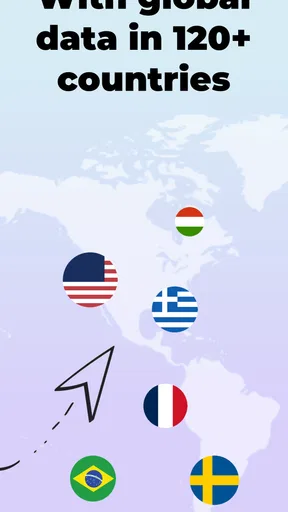
Yes, SLYNUMBER supports international calls and messages, making it a versatile option for users who communicate globally. However, availability and rates for international services may vary, so it's advisable to check the app’s settings or customer support for specific details related to your region and needs.


